Nine apps, graded on four things the marketing never covers: whether the watch can record a run without your phone, whether it reads your heart rate, what evidence it accepts as proof you ran, and what it costs. One of them — ours — refuses to count a run the watch did not see.
Nine apps · no affiliate links · every figure from vendor docs or the App Store
If you only read one section, read this one.
WorkOutDoors or Runkeeper. Both state plainly that a run started on the watch is tracked by the watch, and WorkOutDoors is a one-off $8.99 with no subscription attached.
WorkOutDoorsStrava, and budget for it. The watch app is genuinely good and works standalone from Series 4, but group challenges and most of the analysis now sit behind the subscription.
StravaNike Run Club. No paid tier exists, there are no in-app purchases at all, and it is fully standalone — you can set it up on the watch without an iPhone in the room.
Nike Run ClubRunMatch. It is the only one here that refuses a run the watch did not record, which is what makes it safe to put money on the result.
RunMatchChecked 17 September 2026 against vendor help centres, vendor pricing pages and live App Store in-app-purchase listings. Three cells say "not confirmed" because the vendor does not state it or states it two different ways — we would rather print that than guess. Spot something wrong? Tell us.
This is the feature people actually want from a watch and the one most likely to be quietly untrue.
WorkOutDoors is the clearest: the developer states that the iPhone is not necessary during a workout, and it is $8.99 once with no subscription, which in 2026 makes it close to an act of protest. Runkeeper is the clearest of the big names — its help centre says a trip started on the watch is tracked by the watch alone and saves a map from watch GPS. Nike Run Club goes furthest: you can download it and complete setup on the watch itself.
Strava supports it from Series 4 onward and the phone deliberately stays out of the way even if it is nearby. The activity uploads when the watch next has your phone or a network.
The three to be careful with are Runna, adidas Running and MapMyRun. Runna ships a real watch app but nowhere in its support documentation does it say you can leave the phone behind, and one article implies the companion app must keep running. adidas' own help page says you still need the phone for a GPS track. MapMyRun's help centre says both things in different articles. None of that means they don't work — it means nobody has committed to it in writing, so test it on a short run before you trust it on a long one.
Every app in the table reads heart rate from the watch except adidas Running, which doesn't say. The differences are in what they do with it.
Apple's own Workout app is the quiet winner for pure HR work: it records continuously during the session and keeps measuring for three minutes afterwards to calculate your recovery rate, which is one of the more useful fitness markers you can get for free.
Strava reads HR once you grant it access in Apple Health and puts it bottom-right on the recording screen, but zone analysis is a subscriber feature. Runkeeper shows heart rate on the default tracking screen without paying, though HR zones need watchOS 9 or later.
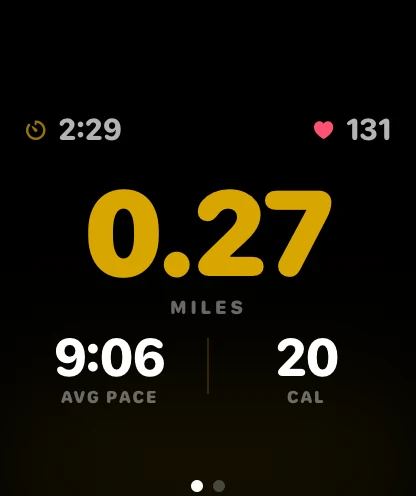
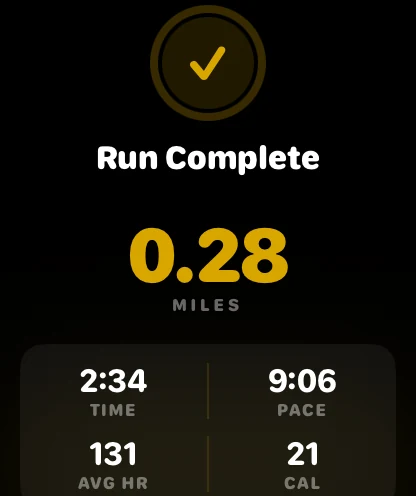
RunMatch uses heart rate for something different, and it is worth being clear that this is not a training feature. We don't give you zones or a recovery score. We use HR as evidence, and that is the next section.
Nobody cares about this until there is something riding on the result. Then it is the only thing that matters.
Worst to best: manual entry is an honour system. Phone step counts can be produced by a washing machine or a $12 phone-shaker sold for exactly that purpose. GPS alone looks rigorous and isn't — a location-spoofing app draws a flawless 10K, and a bicycle rides a real one. Every app in the table above except ours stops at GPS, which is completely fine, because none of them are holding your money.
Wrist heart rate from the watch is the first rung that is genuinely awkward to fake. You can spoof where you were. Producing 150 bpm for forty minutes while sitting on a sofa is a different project.
HTTP 400
{
"error": "Heart rate data from Apple Watch is required to verify the run",
"code": "NO_WATCH_HR"
}Runs also fail on a sub-4:00/mile pace floor, a heart rate outside 40–220 bpm, fewer than ten GPS points, a duplicate route, or a workout more than 24 hours old.
Our own row, honestly: that strictness has a cost and we pay it every day. It rejects treadmill runs the watch didn't record. It rejects runs where the watch died. It rules out every Android phone, every Garmin and every Fitbit. If nothing is riding on your run, that is a bad trade and you should use one of the other eight.
| Your watch | Runs watchOS 10? | RunMatch |
|---|---|---|
| Series 3 | No — tops out at watchOS 8 | Cannot run RunMatch |
| Series 4, 5, 6 | Yes | Full support |
| Series 7, 8, 9, 10 | Yes | Full support |
| SE (1st and 2nd gen) | Yes | Full support |
| Ultra and Ultra 2 | Yes | Full support |
Series 3 is the one to check. It is still in a lot of drawers and it is still being searched for, but it cannot go past watchOS 8, so it cannot run RunMatch at all. There is no workaround. If that is your watch, Nike Run Club is free and will track your runs happily.
Everything from Series 4 onward is fine, including both SE generations, which are the value pick for this if you are buying a watch specifically to run with. Cellular makes no difference to GPS or heart rate.
A question worth asking before you install anything: what does a third-party app add over the one already on the watch?
Not accuracy. Apple's Workout app is the source the others read from, and for recording distance, pace and heart rate it is as good as any of them. If all you want is a record of your run, you are already done and you can close this page.
What third-party apps add is everything around the run: a social feed (Strava), coached sessions (Nike Run Club, Runna), a customisable screen and offline maps (WorkOutDoors), training plans (Runkeeper Go), or stakes (us). Most serious runners end up running Workout and something else rather than choosing, because Apple Health is the common layer underneath all of it.
Then RunMatch is not for you, and it is better that you find that out here than after downloading it.
There is no Android version, no Wear OS version, and no Garmin or Fitbit integration — not even through Apple Health, because the run has to arrive with watch heart rate attached and a third-party device cannot supply it in the form we require.
Worth knowing if you were considering Garmin Connect as an Apple Watch app: it isn't one. Garmin Connect syncs with the iPhone only and has no Apple Watch app at all. Getting Apple Watch workouts into Connect needs a third-party bridge, and steps, floors, sleep and all-day heart rate don't make the trip.
For Android, the best free answer on this page is Nike Run Club, which is free everywhere with no paid tier. For Garmin owners, Garmin Connect plus Strava is the usual pairing.
Prices as of 17 September 2026, from vendor pricing pages and live App Store listings.
Free with no paid tier: Nike Run Club, and Apple's Workout app. Nike Run Club has no in-app purchases at all, which is rarer than it sounds.
One-off: WorkOutDoors, $8.99, and its in-app purchases are a tip jar that unlock nothing.
Subscription: Strava $11.99/mo or $79.99/yr. Runkeeper Go $9.99/mo or $39.99/yr. Runna $19.99/mo or $119.99/yr, and Runna has no standing free tier beyond a 7-day trial. MapMyRun runs several live SKUs at once, roughly $7.99–$9.99 a month, with an ad-supported free tier. adidas Running no longer publishes a price anywhere we can cite, so we are not printing one.
RunMatch: free to download, free to race friends, 0% of the pot. 3% when you withdraw winnings. Pro is $9.99 a month and unlocks exactly one thing — public matches against strangers.
GPS route and wrist heart rate, both required, because there is money on the result. Free to download, free to race friends, 0% of the pot.
Apple Watch Series 4 or later (watchOS 10) + iPhone on iOS 17 · 18+ · payouts via Stripe